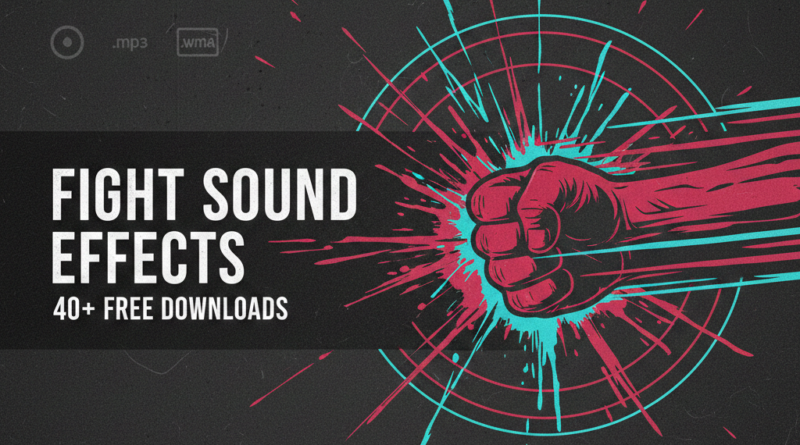
40+ FREE Fight Sound Effects Download
Download the full Fight Sound Effects pack:
CLICK HERE — Google Drive (40+ sounds)
Pack provided by Paper Kraft Animation and assembled by Mohammad Mustafa. Use these fight sound effects for animations, DC2 projects, short films, and game prototypes.
Introduction — Why These Fight Sound Effects Matter
“`
If you animate fights, action scenes, or combat sequences, the right Fight Sound Effects change everything. High-quality Fight Sound Effects add impact, rhythm, and realism to punches, kicks, falls, whooshes, and impacts. This free collection of Fight Sound Effects was prepared for animators and creators who need fast access to crisp hits, subtle ambient textures, and utility sounds for cinematic timing. Whether you use Drawing Cartoons 2 (DC2), Adobe Animate, or any DAW, these Fight Sound Effects give your scenes authority and presence.
The pack includes more than forty (40+) carefully selected Fight Sound Effects such as impact hits, swing whooshes, falling hits, cloth rustles, surface blocks, and wet slaps. Every fight animator knows that a single, well-placed Fight Sound Effect often beats dozens of mediocre sounds. This bundle is tuned for that principle — a small set of excellent Fight Sound Effects that you can rely on every time.
“`
What’s Included — Overview of Fight Sound Effects
“`
This free download contains a folder of individual sound assets (wav, mp3, wma) and is organized for quick import. The Fight Sound Effects pack contains impact hits, swing sounds, body hits, block sounds, footstep impacts, falls, whooshes, ambient rain, and small food-eating or munching sounds you can use as comedic or exposition cues during fight scenes. Below you’ll find a clean, user-friendly table listing the Fight Sound Effects with friendly names, file types, and short descriptions.
“`
Fight Sound Effects Table — Names, Types & Descriptions
“`
The table below lists the included Fight Sound Effects. File types are accurate to the pack and descriptions suggest best use cases in animation and game design.
| Sound Name | File Type | Suggested Use |
|---|---|---|
| Block L (Light Block) | .wav | Quick parry or light block — perfect for fight choreography. |
| Block L (Alt) | .wav | Alternate block for variety between hits. |
| Popcorn Crunch (Chewing) | .mp3 | Background munching for comedic scenes or ambient room sounds. |
| Dripping Water (Nature Ambience) | .mp3 | Use as a moody ambience under late-night fight scenes. |
| Eating Bite (SFX) | .mp3 | Close-up eating for comedic cutaways during fights. |
| Fall Impact 1 | .wav | Body falling to floor — medium weight impact. |
| Fall Impact 2 | .wav | Lighter body fall — quick tumble sound. |
| Fist Swing (Soft) | .wav | Windier fist whoosh for telegraphed punches. |
| Fist Swing (Hard) | .wav | Hard swing whoosh — use on strong punches. |
| Impact Hit — Flash Point 01 | .wma | Short, punchy hit — perfect for snappy strikes. |
| Impact Hit — Flash Point 02 | .wma | Alternate hit tone for variety in fight sequences. |
| Impact Hit — Flash Point 03 | .wma | Heavy body hit, low in frequency. |
| Impact Hit — Flash Point 04 | .wma | Crunchier hit for bone or armor impact. |
| Impact Hit — Flash Point 05 | .wma | Short, bright hit for stylized hits. |
| Whoosh — Flash Point Whoosh 01 | .wma | Sharp whoosh for fast blades or swinging arms. |
| Whoosh — Flash Point Whoosh 02 | .wma | Longer whoosh ideal for dramatic slow-motion moves. |
| Foot Swing Impact | .wav | Foot hit or stomp effect. |
| Heavy Rain (Ambience) | .mp3 | Background ambience for moody fight scenes. |
| Indy Hit 1 | .wav | Punch/pop for quick hits in action cuts. |
| Kick High (Hard) | .wav | High-power kick hit sound. |
| Kick High (Alt) | .wav | Alternate kick tone for variety. |
| Kick Medium | .wav | Standard midweight kick. |
| Move 700ms (Footstep Move) | .wav | Short movement or step for animation timing. |
| Munching Food (Normal) | .mp3 | Eating ambience for background humor or realism. |
| Swoosh Push 1 | .wav | Short whoosh for pushes, shoves, or magic bursts. |
| Swoosh Push 2 | .wav | Alternate push or short hit effect. |
| Punch High | .wav | Crisp, high punch for close contact. |
| Punch Low | .wav | Deep low-impact punch, useful for hits to the torso. |
| Punch Medium | .wav | Balanced mid punch hit. |
| Rain on Roof (Soft Ambience) | .mp3 | Background ambience for late-night scenes. |
| Strange Low Rumble (Weird Shark) | .mp3 | Weird sub-bass texture — use for unsettling moments. |
| Sandy Beach Ambience | .mp3 | Calm background for contrast or flashbacks. |
| Soft Rain Ambient | .mp3 | Gentle rain bed for emotional scenes. |
| Spin 200ms (Quick) | .wav | Sharp micro-whoosh for quick spins or micro motions. |
| Spin 300ms (Longer) | .wav | Slightly longer spin whoosh for wider arcs. |
| Water Splashing Brook | .mp3 | Natural water splash for environmental hits or falls into water. |
Tip: Use the shorter micro-whooshes (Spin 200ms / 300ms) to sell speed; use full impact hits (Flash Point series, Punch variants) for contact hits. Combine whoosh + impact for a satisfying fight hit: whoosh → impact → reaction.
“`
How to Download & Import These Fight Sound Effects into DC2
“`
The Fight Sound Effects pack is available via Google Drive. Download the folder using the link at the top. Once downloaded, import the sounds into your project or mobile device and use them inside Drawing Cartoons 2 (DC2) by layering audio tracks with your animation timeline. Below is a practical step-by-step so even new animators can start adding these Fight Sound Effects quickly.
Step 1 — Download the Pack
Click the Google Drive folder, then choose “Download” to save the zipped folder to your device.
Step 2 — Extract & Organize
Unzip the download and place the Fight Sound Effects in an easy-to-locate folder. Keep the file names if you want to match the names used above, or rename them to your project naming convention.
Step 3 — Import to DC2 or Your Editor
DC2 supports importing audio files. Open your project, go to the audio import menu, and add the Fight Sound Effects to your timeline. For more details, watch the official guide below.
Recommended tutorial: How To Import Packs and Items into Dc2
“`
Best Practices for Using Fight Sound Effects
“`
Great animation depends on timing, layering, and contrast. Use the Fight Sound Effects strategically: lead with a whoosh, hit with an impact, add a body reaction, then place an ambience or squeak for realism. Here are a few quick rules that make a big difference:
- Layer for Depth: Combine a mid-frequency hit with a sub-bass thud for weight — try Flash Point 03 plus Punch Low.
- Don’t Overuse: One good Fight Sound Effect per contact is better than smeared, continuous impacts.
- Use Ambience: Soft Rain or Heavy Rain beds can glue a scene and make the Fight Sound Effects feel part of the environment.
- Tailor the EQ: Cut low rumble from whooshes and boost mid-high for clarity on impact.
- Timing Matters: Hit frames should land within 1-3 frames of the visual impact for best results in DC2 at standard frame rates.
“`
Use Cases — Where These Fight Sound Effects Shine
“`
These Fight Sound Effects are perfect for multiple creative workflows:
- DC2 Animations: Punch combos, martial arts fight scenes, slapstick knockdowns, and cinematic slow-motion entries.
- Short Films: Use the Flash Point hits and Punch variants for realistic contact — layer ambience for mood.
- Game Prototyping: Rapid hits and quick whooshes (Spin 200ms/300ms) work well for in-game action cues.
- Content Creator Edits: Quick overlays for reaction videos and dramatic memes.
“`
Credits & Permissions
“`
Fight Sound Effects pack credits: Paper Kraft Animation (creator / source) and Mohammad Mustafa (assembler / poster). Please keep the credits in your project descriptions when you publish content that uses these Fight Sound Effects. These sounds are offered for free for non-commercial and educational use. For commercial usage, contact the original creators.
For sponsorships, partnerships, or to report issues with any Fight Sound Effects, contact: Contact@thetmworld.com.
“`
Download the Fight Sound Effects Pack — Get Started
“`
Ready to upgrade your fight scenes? Download the Fight Sound Effects pack now: Download 40+ Fight Sound Effects (Google Drive). Don’t forget to subscribe to the email list above for future free drops and updates.
Want more assets, character packs, or animation tutorials? Visit our sites and courses:
“`
FAQ — Quick Answers About the Fight Sound Effects
“`
Q: Are these Fight Sound Effects free to use?
Yes. The Fight Sound Effects pack is free for non-commercial projects and educational use. For commercial licensing, contact the creators.
Q: Do the Fight Sound Effects work on mobile?
Yes. The Fight Sound Effects are in standard wav, mp3, and wma formats and will import into most mobile editors and DC2 projects.
Q: How do I layer multiple Fight Sound Effects for one hit?
Start with a quick whoosh (Spin 200ms), add an impact hit (Flash Point series), then a low sub-hit (Punch Low) and a short reaction (psh or psh2). Adjust timing by 1–4 frames to taste.
“`
Final Notes
“`
These Fight Sound Effects are created to speed up your workflow and make your scenes sound professional. A well-timed Fight Sound Effect can sell a sequence more convincingly than hundreds of frames of animation. Use the table above, experiment with layering, and remember: timing and contrast make the difference. Download the pack and try a few hits in a simple DC2 clip to immediately notice the improvement.
Credits again to Paper Kraft Animation and Mohammad Mustafa for assembling and sharing these Fight Sound Effects.
“`